Looking At Employees In RG
Employee Overview
Last up in this series we will take a quick look at employee profiles. These have a lot in common with the way they work in the sense that you can also think of employees as an object that can be used through out RG and edited in the profile.
To edit or create an employee profile head over to the Users interface located in the left side navigation bar in "The Users" drop down:
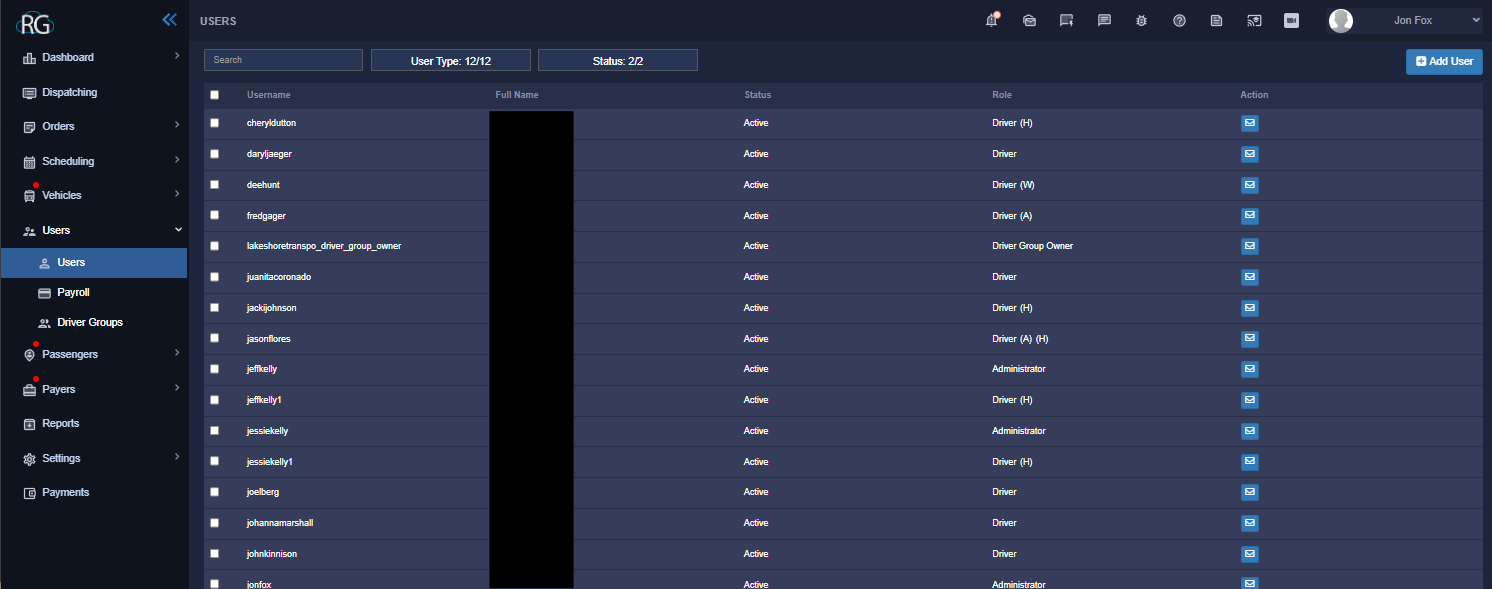
Ignore the black box as usual, in this instance it is just blocking out names.
Looking at the Driver Interface we can see that it barely looks different than the passenger interface. Aside from a few small differences everything is the same. It is a log that lists all the current employees we have at lakeshore. In the top right there is a button to add a new user. Regardless of what type of user is being created they are all made by clicking on this button.
Expanded Employee View
Just like passengers you can also expand an employees profile by selecting them from the log and clicking on them.
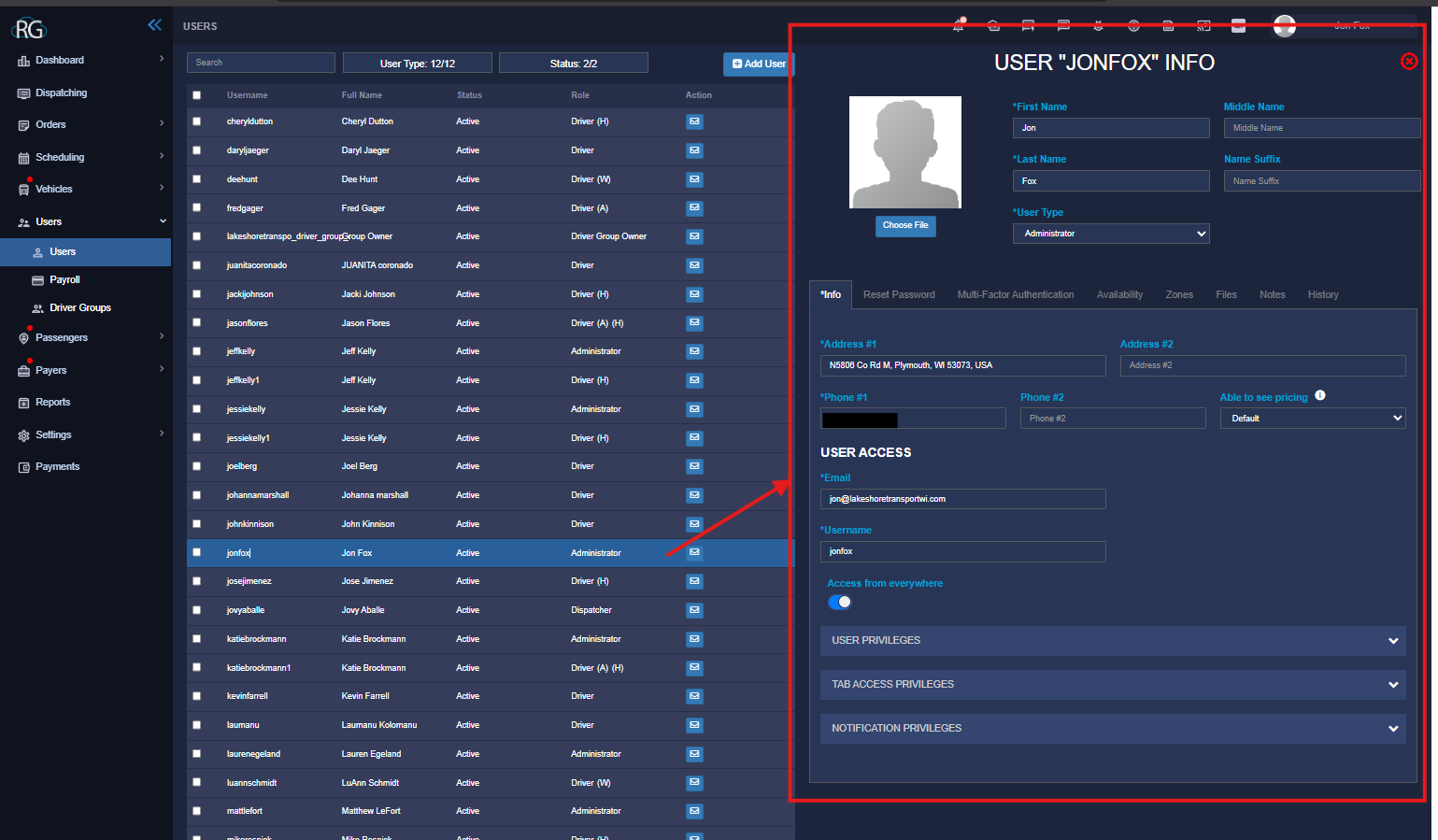
Something to make note of is that this profile page will be outfitted with different options depending on what type of employee we are looking at.
For instance a driver wont be logging into dispatch trips so they wont have as many access options as an admin would, instead they will have things like license status and renewal as well as other driving related options.
Employee type can be chosen when creating a new user.
Further User Options
Just like other objects we have tabs that allow us to select more options:
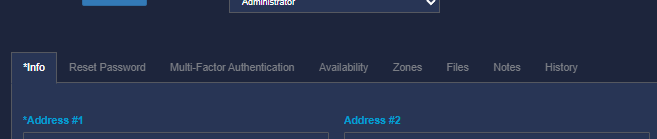
Reset Password
This is where a user can reset a password, alternatively another admin can do it for them by coming here and generating a password reset email.
Multi-factor Authentication
Enable Multifactor Authentication, must also be turned on in settings.
Availability
A drivers availability can be set here, this also interfaces with the driver app where they can similarly set it , because our drivers do not like using technology we dont currently utilize this extremely useful feature at Lakeshore.
Zones
This can be used to map a driver/employee to specific zones, however, we are not currently using zones at lakeshore and probably wont anytime soon because it just does not really mix well with our operations.
Files
A convenient place to store files for an employee for quick and related access.
Notes
Add notes about an employee/user.
History
See history for any given User object ... the history will track any action done to or with a user and list the user or internal user/method responsible for the action along with timestamps.