Looking At Clients In RG
Client Overview
The next object we will take a look inside of RG will be clients, The ongoing Client log is found in the Passengers interface:
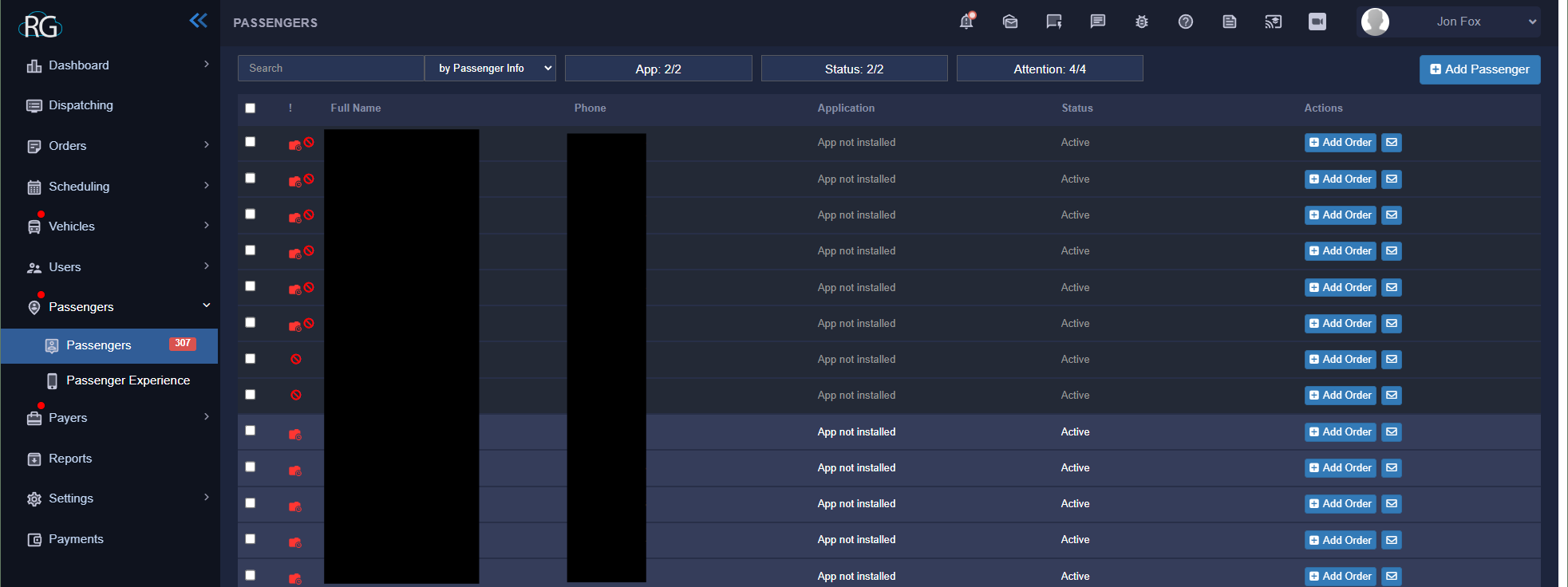
Taking a look at the passenger interface it is pretty straight forward, it provides a list of passengers along with some PII and the ability to quickly add an order or message them.
Ignore the black boxes, they are just protecting client PII ... without that black boxes you would see passenger names in the first column and phone numbers in the next.
Expanded Client View
As with any of the other similar interfaces we have covered we can click on any given passenger and expand their profile for some more options and settings. Something to keep in mind here is that passengers should be viewed as an object within the system. They are created in this interface and can then be used through out the website. This log is your database and you can access from the other interfaces as needed.
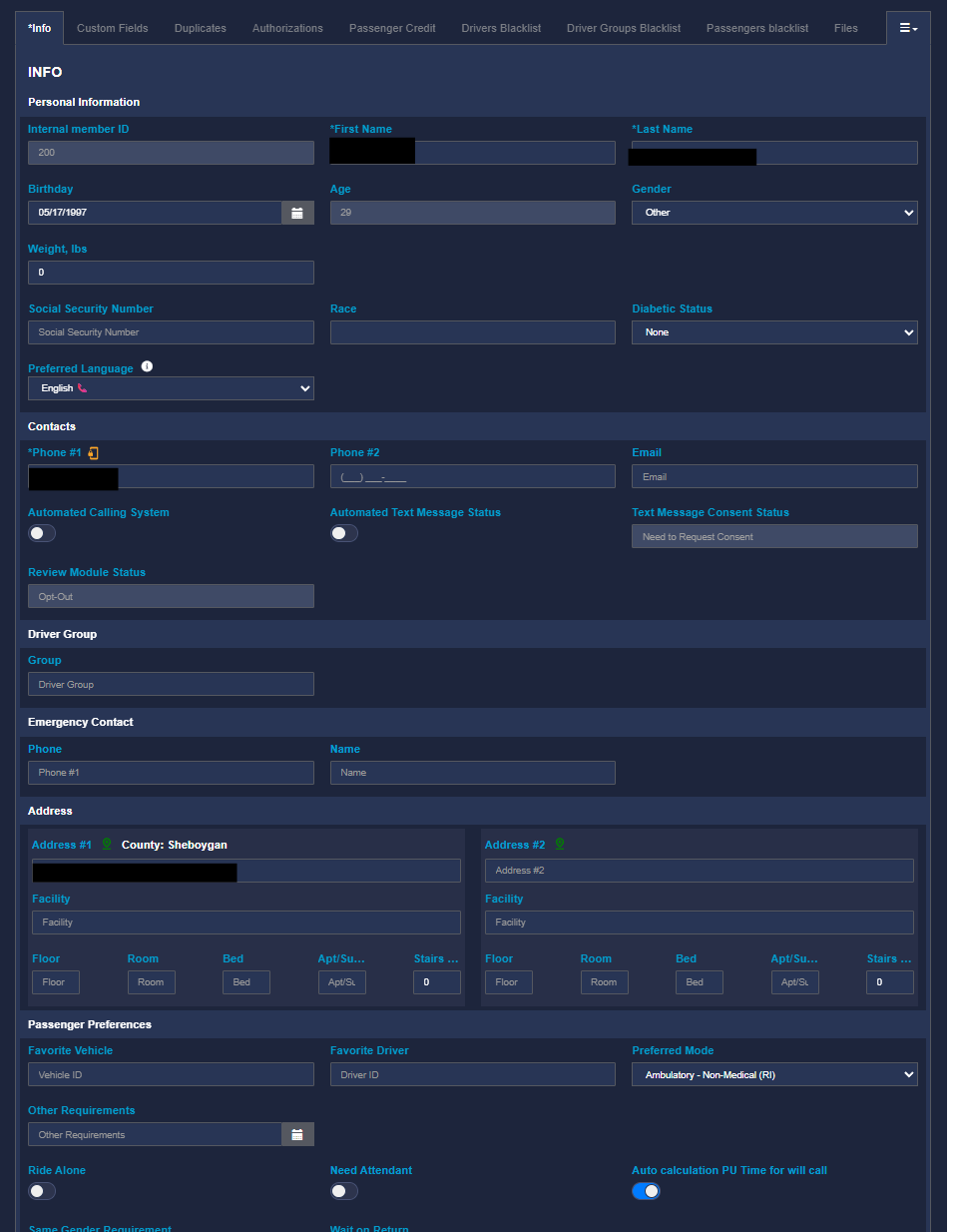
As you can see from the screenshot above passengers come with a pretty wide range of settings and options to help us insure that they operate the way we need them to inside our system. I cant even fit the whole window inside a screenshot. We are not going to deep dive on client information here but lets take a look at the tabs that represent some of the options available for manipulating a passenger profile.

Outlined in red (shown above) are all the options available on a user profile. You will notice a box all the way at the end with a drop down symbol, this actually allows us to see all the other options that did not fit, this will vary depending on your screen size. Clicking it will expand the drop down.
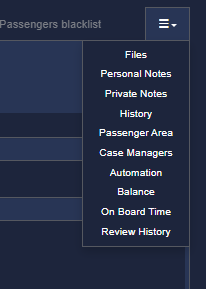
We will start out going from left to right:
Custom Fields
An expansion of the main info page, some other fields are available to use including "Billing Frequency", billing frequency MUST be set to make any other changes after the passenger is created.
Duplicates
Any duplicate passengers will be listed here so that you can easily remove them.
Authorizations
Lists the payer or payers that passenger is using. Payers can also be added to their profile here.
Passenger Credit
A place where we can store credit card information for a passenger, we do not actively use this at Lakeshore as our billing is done through Quick Books.
Drivers Blacklist
Putting a driver on this list for a passenger will ensure that the passenger can not be paired with the driver. This is generally used when there is a problem between the two.
Driver Group Blacklist
The same thing as a Driver Blacklist but instead aimed at an entire driver group, we dont utilize driver groups at Lakeshore so it is of no use to you.
Passenger Blacklist
This blacklist is for other passengers, it will keep them from being multiloaded together.
Files
A quick place to store specific files for a passenger so that you can have quick, related access to them. Signatures will also be stored here.
Personal Notes
A place for the team to add personal notes about a client that they think other drivers, dispatchers or admin will need to know.
Private Notes
The same thing as notes except they are private!
History
A system history of actions being taken on a Passenger object ... these actions will have a brief description and be tied to a user or internal user along with a timestamp.
Passenger Area
Information from feedback in the customer app can be seen here however Lakeshore is not currently utilizing the passenger app.
Case Managers
Information for a clients case manager(s) can be stored here. A case manger generally oversees the client and their trips as they pertain to the payer.
Automation
This allows us to automate the adding of trips in to the system for a passenger although i believe there is not much use for it as creating a standing order works better and it is much easier to manage. If i do find a use case for this I will come back and make an edit.
Balance
If a client carries a balance it will appear here but again we do not use RG for our billing.
On Board Time
For tracking the amount of time a passenger is in a vehicle, this is not enabled by default.
Review History
A history of reviews/ratings a passenger has given from the passenger app, but again, Lakeshore is not actively utilizing this.